
Repair Corrupted or Unplayable Audio Files Online

Fix audio that will not open, has no sound, stops early, shows 00:00 duration, or ends incomplete. Fixo checks the damaged file structure first, rebuilds recoverable data, and lets you hear the result before you download.
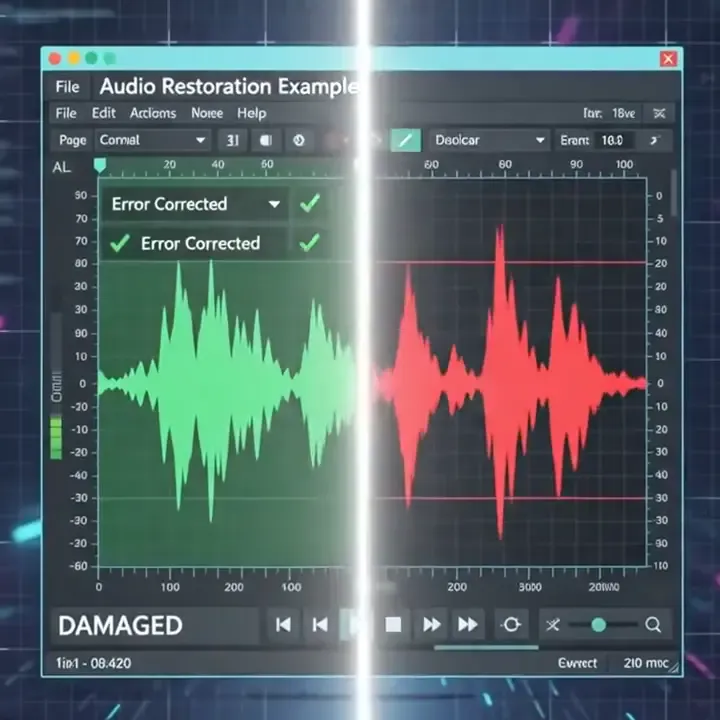
Corrupted audio repair preview showing damaged audio restored to playable preview
Start Repairing Now
Secure
Drop your audio here to start repair
or choose an audio from your device
Select Audio to Repair
Supports MP3, AAC, WAV, FLAC, M4A, WMA, AIFF, OGG and more, Your file stays private
Secure online video repair icon
100%Safe & secure
20 years video repair experience icon
20 Years+Repair experience
120 million repaired video files icon
120 Million+Repaired files
Average repair time icon
~1 MinAverage repair time

Repair Audio Online in 3 Steps

From uploading the original file to checking, repairing, listening, and downloading — all in one workspace.

Upload the damaged audio
Choose the original file from the device or app — Fixo identifies its format first.
Check & repair
Check & repair
Review the detected damage and repair plan, then start the repair yourself.
Preview & download
Preview & download
Listen to the repaired audio first, then download a separate repaired copy.

8 Audio Formats, With Real Sample Scenarios

Common and professional lossless formats are all covered. Every card carries a content-scenario sample you can audition.

Common formats
MP3
Pop song clip
The universal compressed format — plays on virtually every device.
00:00
WAV
Field recording take
Uncompressed CD-quality audio, standard for recording and editing.
00:00
M4A
Voice memo
Apple’s audio container — the default for iPhone voice memos.
00:00
AAC
Podcast episode
Efficient compression used by phones, cameras and streaming.
00:00
Professional & lossless
FLAC
Classical music recording
Lossless compression that keeps every detail of the original.
00:00
WMA
Meeting recording
Microsoft’s audio format, common in older Windows recordings.
00:00
OGG
Audiobook chapter
Open-source compressed format used by games and apps.
00:00
AIFF
Studio master
Uncompressed Apple format for studio and production work.
00:00
Note: noise reduction, vocal enhancement, and mastering are sound-enhancement tasks for files that already play — they are not part of corrupted-file repair on this page.

Hear the Difference: Damaged vs. Repaired

The same interview recording: the damaged file on one side with broken, clipped waveform that stops at 00:12 — and the complete waveform after Fixo repair on the other.

Damaged
field-interview.wav
Stops at 00:00
Clipping & gaps
Wrong duration
00:00
/
00:00
Repaired
repaired-field-interview.wav
Plays full 00:00
Continuous waveform
Duration restored
00:00
/
00:00
Note: noise reduction, vocal enhancement, and mastering are sound-enhancement tasks for files that already play — they are not part of corrupted-file repair on this page.

Repair Audio From the Moments You Cannot Re-record

Find the source that matches your file. Whatever the device or workflow, upload the original damaged file whenever possible.

Interview audio recorded with a smartphone and digital field recorder
Interview recordingsInterviews and lectures captured on voice recorders, phone mics, and memo apps often turn unplayable after a failed transfer or card error. One-take recordings cannot be re-recorded — repair them before backing up.
Podcast hosts recording an audio episode in a professional studio
Podcast & music productionInterrupted exports, crashed sessions, or disk errors turn podcast tracks and music stems into WAV / AIFF files that will not open. Rebuilding the file structure is far faster than re-recording an episode.
Camera production using an external recorder for field audio
Camera & field recordingPower loss mid-shot, an ejected card, or a field recorder that stopped unexpectedly leaves location audio with wrong duration or early cut-off. Repairing timing and index data brings the full take back.
Meeting audio recovered from a damaged memory card
Meetings & recovered filesMeeting captures that failed to save, or audio recovered from SD cards, USB drives, and recovery folders, often arrive with broken headers and missing data. Check what is recoverable, then listen to the result.

What Does Your Broken Audio Sound Like?

Match the symptom closest to your file. All of these are file-structure problems, and that is exactly what Fixo repairs.

Unplayable audio file with a broken waveform and playback error

Won't play at all

The player throws an error, or nothing happens when you open the file.
What Fixo repairs: broken container and header structure
Audio file playing with no sound and a flat waveform

Plays, but no sound

The progress bar moves, but you hear complete silence.
What Fixo repairs: broken mapping between audio stream and index
Corrupted audio file that stops playing halfway

Stops early or incomplete

The recording cuts off midway and the second half is gone.
What Fixo repairs: truncated data segments and end markers
Audio file with waveform data but an incorrect 00:00 duration

Duration shows 00:00

The file clearly has content, yet the player shows zero or a wrong length.
What Fixo repairs: corrupted duration and timing metadata
Corrupted audio file header before readable waveform data

Corrupted header

Recovered files and sessions that crashed mid-edit often break at the header.
What Fixo repairs: rebuilt headers and container information
Audio player unable to recognize the uploaded file format

Format not recognized

It is clearly an MP3 or WAV, yet the player says “format not supported”.
What Fixo repairs: format identifiers and container structure
Audio playback index and waveform synchronization error

Broken index or sync

Seeking jumps to wrong positions, or playback skips sections at random.
What Fixo repairs: damaged index and seek data
Partially corrupted audio file with missing waveform data

Partial data loss

The file opens, but with holes, bursts, or whole sections missing.
What Fixo repairs: locating and joining recoverable data segments

Professional Audio File Repair, Not Just Sound Cleanup

Fixo focuses on damaged file structure and recoverable audio data, so a compatible player can open your recording again.

Corrupted Video File Repair, Easy & Safe

Corrupted Video File Repair, Easy & Safe for Everyone

Have you ever encountered a precious video that was damaged or corrupted? EaseUS free online video repair tool allows you to fix a video that gets corrupted due to a faulty storage device, incomplete transfer, or sudden power outage easily. With AI automatic video repair, you can upload your damaged video files and repair corrupted videos in minutes without any manual intervention.

EaseUS video repair tool preserves the original quality and integrity of your videos during the repair process, ensuring your files retain their clarity, colors, and details. Whether you're a professional videographer, a content creator, or simply someone who wants to preserve cherished memories, EaseUS video repair is the reliable and safe video repair tool you need to bring your videos back to life.
Repair Video Free
Try Pro Repair
Fix All Videos Online Free with Popular Formats

Fix All Videos Online Free with Popular Formats

EaseUS video repair tool supports the repair of all corrupted or damaged video files in various formats. It can repair MP4 files, as well as MOV, MP4, M2TS, MKV, MTS, 3GP, AVI, FLV, MXF, KLV, INSV, M4V, WMV, MPEG, ASF, etc. With advanced AI-powered repair technology, the tool can analyze and fix damaged video structures across multiple formats efficiently.

In addition, EaseUS ensures safe video repair online, allowing you to repair MP4 and other video files securely while maintaining original video quality. Your files are processed with privacy protection, giving you a reliable and secure video repair experience.
Repair Video Free
Try Pro Repair
Repair Corrupted Videos from Various Devices

Repair Corrupted Videos from Cameras, GoPro, Drone & SD Card Devices

EaseUS video repair tool fixes broken or unplayable videos from leading camera brands (Canon, Nikon, Sony, GoPro, DJI, etc.), mobile phones, and other video devices. Whether your videos are corrupted on an SD card, camera, drone, or smartphone, this tool can repair corrupted videos and restore playback quickly.

With an intuitive interface and AI automatic video repair, users can easily upload and repair videos without technical skills. The tool also guarantees safe and secure video repair, ensuring your files remain protected throughout the process while preserving original video quality.
Repair Video Free
Try Pro Repair

Online Audio Repair or Fixo Desktop?

Use the online tool for a quick single-file repair. Choose the desktop app for large files, batch jobs, offline work, and complex damage.

Capability
Online repairFor a quick small-size file
Desktop repairFor larger or multiple files
Best for
Quick repair in a browser
Large files, advanced repairs, or privacy-sensitive jobs
Formats supported
MP3, WAV, M4A, AAC, FLAC, WMA, OGG, AIFF, etc
Advanced repair
Not available
Available
File size
< 100 MB
Unlimited
Automatic repair
Not available
Available
Local & private processing
Processed over an encrypted connection
Privacy & local processing
Offline use
Requires internet
Fully offline
Complex damage
Common structural damage
Advanced workflows for severe corruption
Premium technical assistance
Not supported
Supported
Access
Open the browser and go
Download and install
Repair File Online
No installation required
Try Fixo DesktopDesktop app download required

Video Repair Online Free FAQs

What Our Users Say?

Browse more repair experiences from different files, devices, and real-world situations.

I checked the content of the repaired files, and the results were excellent! Thank you very much for the outstanding performance of EaseUS Fixo!
Akihito Tada
Akihito Tada
Video creator
This software is amazing! I successfully repaired the video files, and the audio is intact as well. I am very satisfied with the results of EaseUS Fixo and highly recommend it to anyone in need of video repair!
Dolf Wijnans
Dolf Wijnans
Camera user
I tried other software to repair video files and without success. After I discovered EaseUS Fixo on the website, I repaired the file without any problems. A huge advantage over other software is the preview of a few seconds of the repaired video. Other programs did not offer this option. Now I know why. Because it cannot repair video files.
DV STUDIO
DV STUDIO
Freelancer
The Data Recovery Wizard worked reliably, and we were able to recover lost data, and then used Fixo, to uncorrupt what we had lost. Highly recommend.
Kevin
Kevin
IT Specialist
I checked the content of the repaired files, and the results were excellent! Thank you very much for the outstanding performance of EaseUS Fixo!
Akihito Tada
Akihito Tada
Video creator
This software is amazing! I successfully repaired the video files, and the audio is intact as well. I am very satisfied with the results of EaseUS Fixo and highly recommend it to anyone in need of video repair!
Dolf Wijnans
Dolf Wijnans
Camera user
I tried other software to repair video files and without success. After I discovered EaseUS Fixo on the website, I repaired the file without any problems. A huge advantage over other software is the preview of a few seconds of the repaired video. Other programs did not offer this option. Now I know why. Because it cannot repair video files.
DV STUDIO
DV STUDIO
Freelancer
The Data Recovery Wizard worked reliably, and we were able to recover lost data, and then used Fixo, to uncorrupt what we had lost. Highly recommend.
Kevin
Kevin
IT Specialist

Repair Your Corrupted Audio Now

Upload the original file, check the damage, and hear the repaired result.
Free to tryFree to try
Listen before downloadListen before download
Original files untouchedOriginal files untouched
Choose Audio to Repair
No installation — runs in your browser